
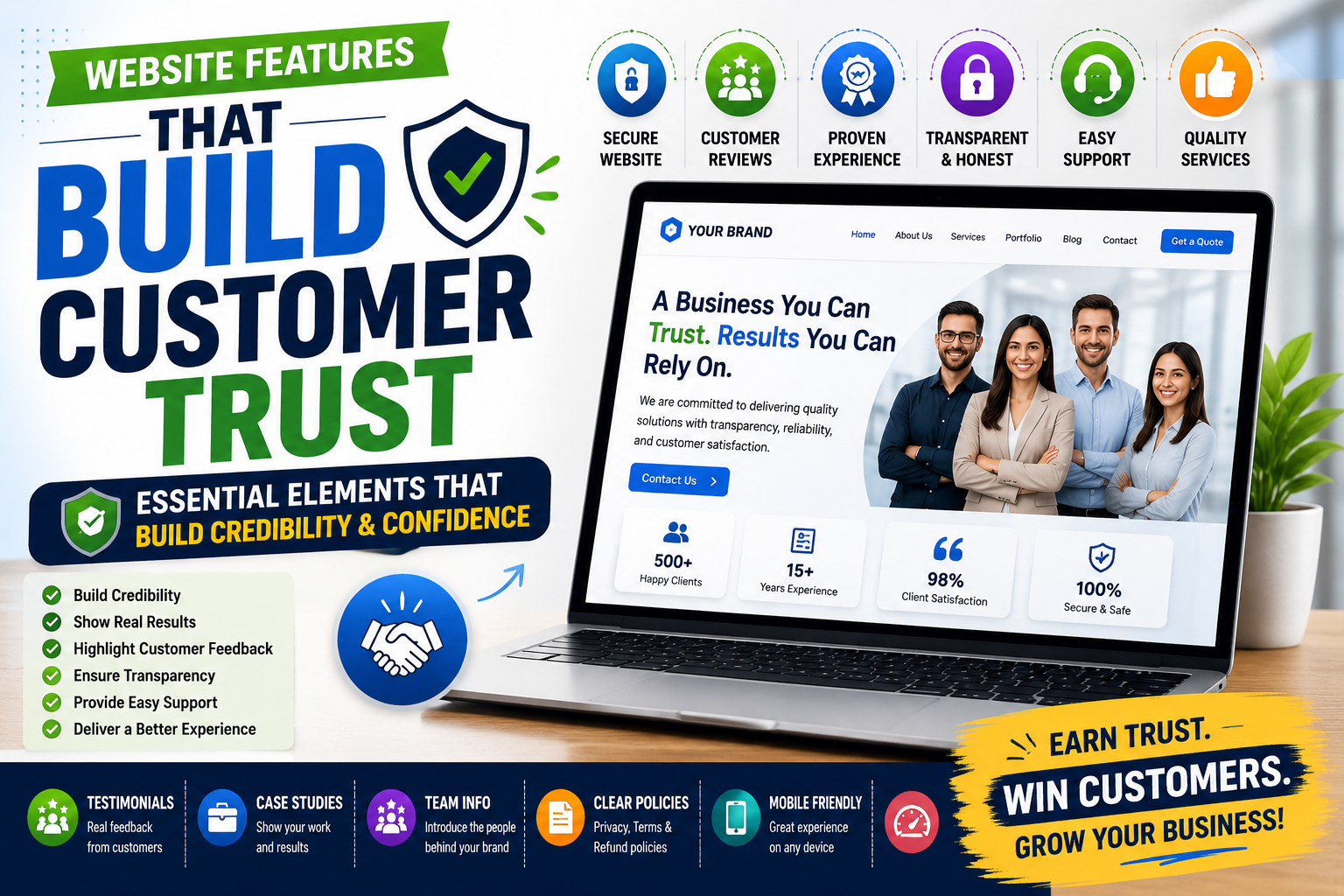
Your website is often the first place potential customers go after discovering your business.
Before making a purchase, submitting an enquiry, booking a service, or contacting your team, visitors may look for signs that your business is reliable and professional.
A good-looking website is helpful, but design alone does not automatically create trust.
Customers want to know:
Who are you?
Can I trust your business?
Can you deliver what you promise?
Have other customers worked with you?
How can I contact you?
Is my information safe?
Your website should answer these questions clearly.
A strong trust-building journey can look like:
Discover → Explore → Verify → Trust → Contact → Customer
Here are the important website features that can help build customer trust.
1. Professional Website Design
Your website creates an immediate impression of your business.
A clean and professional website can make your company appear more credible and established.
Your design should maintain consistency across:
- Logo
- Colours
- Fonts
- Images
- Buttons
- Page layouts
- Brand messaging
A professional website does not need to be complicated.
It needs to be clear, organised, modern, and relevant to your customers.
2. A Clear About Us Page
Customers want to know who is behind the business.
An effective About Us page can explain:
- Who you are
- What your company does
- Your experience
- Your mission
- Your team
- Your approach
- The customers you serve
Instead of simply saying:
"We are a leading company."
Show visitors the information that supports your experience and expertise.
A simple trust journey is:
Company Story → Experience → Expertise → Customer Confidence
3. Genuine Customer Testimonials
Customers often want to know what other people experienced before choosing a business.
Testimonials provide social proof and can reduce hesitation.
You can include:
- Written testimonials
- Video testimonials
- Customer names where appropriate
- Company names where permitted
- Ratings
- Customer success stories
Always use genuine feedback.
Trust becomes stronger when customers can see real experiences rather than generic claims.
4. Case Studies and Success Stories
Testimonials tell visitors what customers think.
Case studies can show what your business actually achieved.
A good case study can explain:
Customer Problem → Your Solution → Process → Result
For example, you could show how your service helped a customer:
- Increase enquiries
- Reduce manual work
- Improve efficiency
- Save time
- Increase sales
- Solve a specific business problem
Real examples provide evidence of your capabilities.
5. Easy-to-Find Contact Information
Customers may become suspicious if they cannot easily find a way to contact your business.
Make important contact details easy to locate.
These can include:
- Phone number
- Email address
- Business address
- Contact form
- Business hours
You can place contact options in the header, footer, contact page, and relevant service pages.
The customer journey should be simple:
Interested → Find Contact → Reach Your Business
6. Secure Website
Customers want to feel confident when sharing information with your business.
A website should use appropriate security measures, especially when customers:
- Submit forms
- Create accounts
- Make payments
- Share personal information
- Upload documents
Using HTTPS and maintaining your website properly can contribute to a safer experience.
Security is not only a technical requirement.
It is also part of customer trust.
7. Clear Products and Services
Visitors should quickly understand what your business offers.
Every important product or service should have clear information about:
- What it is
- Who it is for
- Benefits
- Features
- Process
- FAQs
- Pricing or quotation information where appropriate
- How to get started
For example:
Service → Benefits → Proof → FAQ → Contact
Clear information reduces uncertainty and helps customers make informed decisions.
8. Portfolio and Previous Work
If your business provides services, customers may want to see examples of your work.
A portfolio can include:
- Previous projects
- Completed work
- Product photographs
- Design samples
- Project results
- Client work where permitted
Instead of simply saying:
"We provide high-quality services."
Show visitors what you have actually delivered.
Previous Work → Evidence → Confidence
9. Customer Reviews and Ratings
Online reviews can influence whether potential customers decide to contact a business.
Where appropriate, display genuine reviews and ratings from relevant platforms.
You can highlight:
- Customer ratings
- Review excerpts
- Testimonials
- Customer feedback
- Links to review platforms
Avoid fabricated reviews or misleading claims.
Authentic feedback is much more valuable for long-term trust.
10. Frequently Asked Questions
Customers often hesitate because they have unanswered questions.
An FAQ section can address common concerns such as:
- How does the service work?
- How long does it take?
- What is included?
- How much does it cost?
- Do you provide support?
- Where do you operate?
- How can I get started?
- What happens after I submit an enquiry?
For example:
Customer Question → Clear Answer → Less Uncertainty → More Confidence
FAQs can also reduce repetitive questions for your sales and support teams.
11. Transparent Pricing and Policies
Customers appreciate clarity.
Depending on your business, consider providing:
- Pricing
- Starting prices
- Service packages
- What's included
- Quotation information
- Refund policies
- Cancellation policies
- Shipping information
- Terms and conditions
If your service requires a customised quotation, explain why pricing varies.
Transparency helps customers understand what to expect.
12. Real Team Information
A business can feel more trustworthy when customers can see the people behind it.
Depending on your company, you can introduce:
- Founders
- Leadership
- Team members
- Professional profiles
- Company culture
Real photographs and genuine information can make your business feel more human.
For example:
Meet the Team → Understand the People → Build Connection → Build Trust
13. Certifications and Awards
Relevant certifications, licences, professional memberships, and awards can provide additional evidence of expertise.
Businesses can highlight:
- Industry certifications
- Professional memberships
- Awards
- Quality certifications
- Security certifications
- Training credentials
Only display genuine and relevant credentials.
The purpose is to provide evidence that supports your expertise.
14. Privacy Policy and Business Information
Customers may feel more comfortable when a business clearly explains how it operates.
Important pages may include:
- Privacy Policy
- Terms and Conditions
- Refund Policy
- Cancellation Policy
- Shipping Policy
- Cookie Information
These pages can demonstrate that your business takes customer information and expectations seriously.
15. Fast and Reliable Website
Trust is also influenced by technical performance.
Imagine a customer visits your website and experiences:
Slow Loading → Broken Links → Error Messages → Form Not Working
This can quickly reduce confidence.
Regularly check:
- Page speed
- Broken links
- Contact forms
- Mobile compatibility
- Website uptime
- Browser compatibility
A smooth website experience communicates professionalism.
16. Mobile-Friendly Experience
Many customers discover businesses through their smartphones.
Your website should work properly across different screen sizes.
Important elements include:
- Responsive design
- Readable text
- Simple navigation
- Touch-friendly buttons
- Mobile-friendly forms
- Click-to-call
- Fast loading
Customers should be able to learn about your business and contact you without needing a desktop computer.
17. Updated Website Content
An outdated website can make visitors question whether your business is still active.
For example, if your website displays old announcements, outdated services, or incorrect contact details, customers may lose confidence.
Regularly update:
- Services
- Products
- Contact details
- Team information
- Blog posts
- Projects
- Testimonials
- Company announcements
An updated website shows that your business is active and attentive.
18. Helpful Customer Support Options
Customers feel more confident when they know they can get help.
Depending on your business, your website can provide:
- Live chat
- Phone support
- Email support
- Contact forms
- FAQs
- Knowledge bases
- AI assistants
- Appointment booking
For example:
Customer Question → Support Option → Response → Confidence
Easy access to support can be especially important for businesses providing ongoing services.
19. Clear Calls-to-Action
Once customers understand and trust your business, make the next step obvious.
Useful calls-to-action include:
Get a Quote
Book a Consultation
Request a Demo
Contact Us
Talk to an Expert
Start Your Project
Shop Now
The CTA should match what the customer is ready to do.
Don't make visitors search for the next step.
20. Consistent Social Proof
Trust should not appear only on your testimonials page.
Relevant proof can be placed throughout the customer journey.
Homepage
Customer rating or testimonial
Service Page
Relevant case study
Product Page
Customer reviews
Landing Page
Customer results
Contact Page
Business information and trust signals
This allows customers to see evidence while they are making their decision.
The Customer Trust Journey
A strong website can guide visitors through:
First Impression
↓
Company Information
↓
Products / Services
↓
Customer Reviews
↓
Case Studies
↓
Security & Policies
↓
FAQs
↓
Contact
↓
Customer
Each stage answers another question in the customer's mind.
What Makes a Website Trustworthy?
Before contacting a business, customers may ask:
Who are you?
What do you offer?
Can you deliver what you promise?
Have other customers worked with you?
Can I see your previous work?
How can I contact you?
Is my information safe?
What happens after I contact you?
Your website should provide clear answers to these questions.
Website Trust Checklist
Before launching or redesigning your business website, check whether you have:
- Professional branding
- Clear About Us page
- Genuine testimonials
- Customer reviews
- Case studies
- Portfolio
- Clear service information
- Easy-to-find contact details
- Secure website
- Privacy policy
- FAQs
- Mobile-friendly design
- Fast performance
- Updated content
- Clear calls-to-action
- Customer support options
The more of these elements you have, the easier it becomes for visitors to understand and evaluate your business.
Conclusion
Customers don't automatically trust a business simply because it has a website.
Trust is built through clarity, evidence, transparency, security, and a professional customer experience.
A strong website can help customers:
- Understand your company
- Explore your products and services
- See your previous work
- Read genuine customer experiences
- Verify your expertise
- Get answers to their questions
- Contact you easily
- Feel confident taking the next step
The ideal journey is:
Discover → Explore → Verify → Trust → Contact → Customer
Your website should not simply tell visitors that your business is trustworthy.
It should give them enough evidence to make them feel confident choosing you.